 gradatimo
Capture what you do.
Show how it’s done.
Turn ordinary workflows into extraordinary instructions. Capture the moments, explain what matters, and build tutorials people actually want to follow.
Free for personal, educational & commercial use No account required
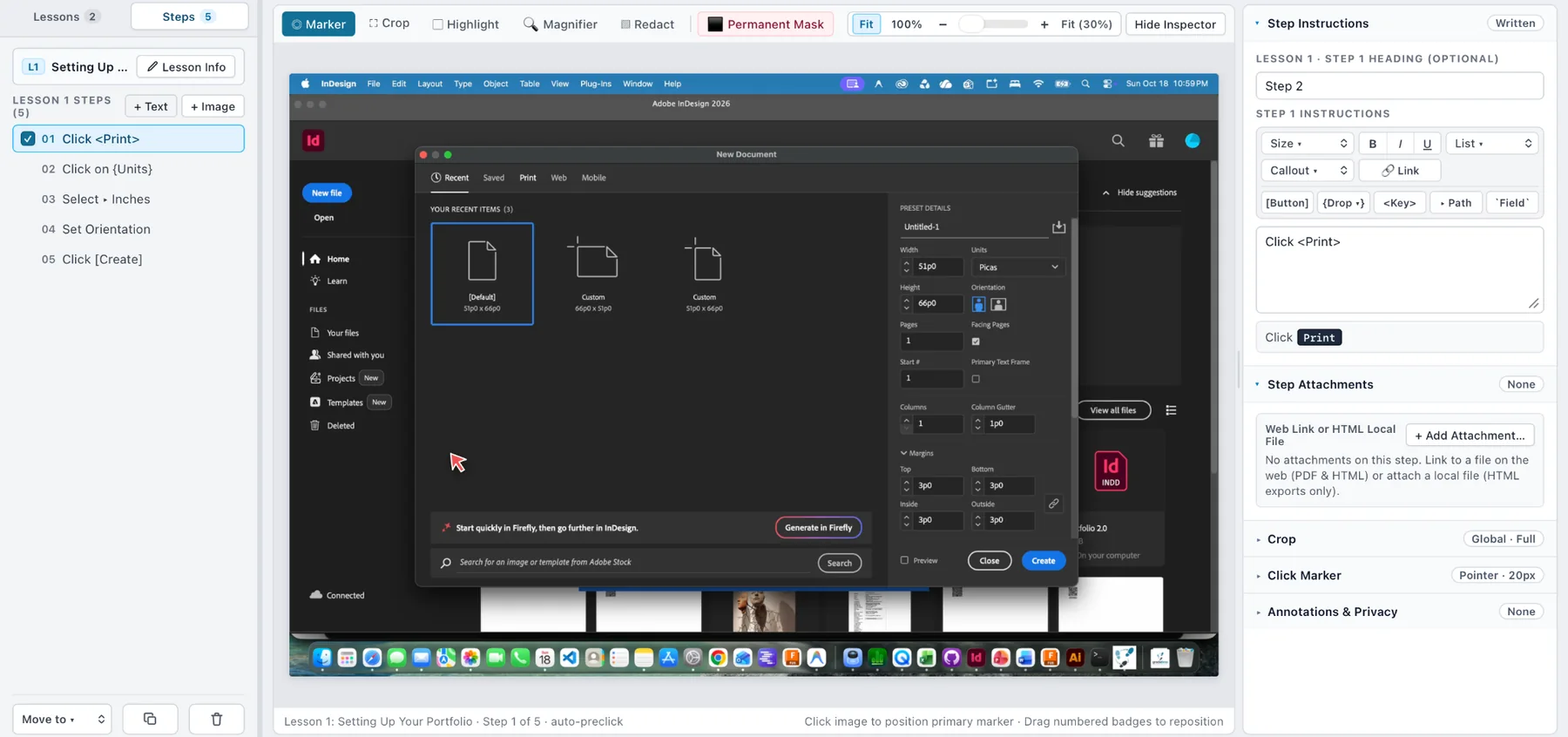
From the first click to the final guide.
Stop stitching together screenshots, documents, and presentation files. Move from recording to publication in one focused workspace.
Capture automatically before actions change the interface, or take snapshots manually.
Small details.
Clearer instructions.
Purpose-built features for showing not only what to do, but exactly where and how to do it.
Complex tutorials.
Remarkably simple structure.
Arrange steps inside lessons, and lessons inside a complete guide. Reorder, refine, and keep every detail in its place.
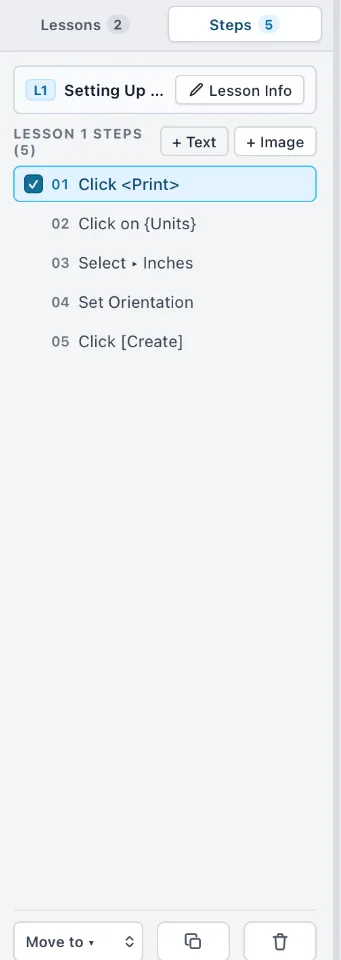
Point to what matters.
Click markers, highlights, crops, magnification and permanent redaction help readers focus.

Your knowledge.
Your computer.
Work locally, keep portable projects, and choose when and where to publish. No mandatory cloud account.
✓ no required account
✓ no subscription
✓ control where you publish
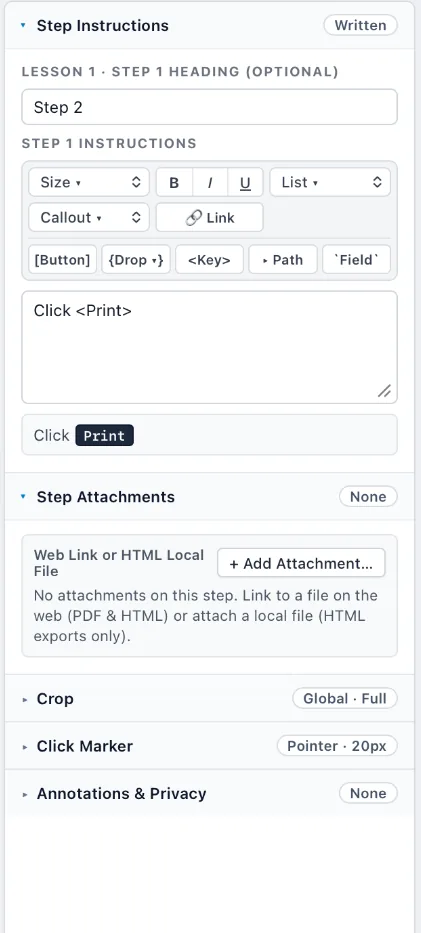
Words and images, working together.
Write short click instructions or detailed explanations. Your instruction panel sits beside your visual, where it belongs.
Not a static brochure.
An actual example.
Follow a short, annotated tutorial inspired by the InDesign workflow shown in the app.
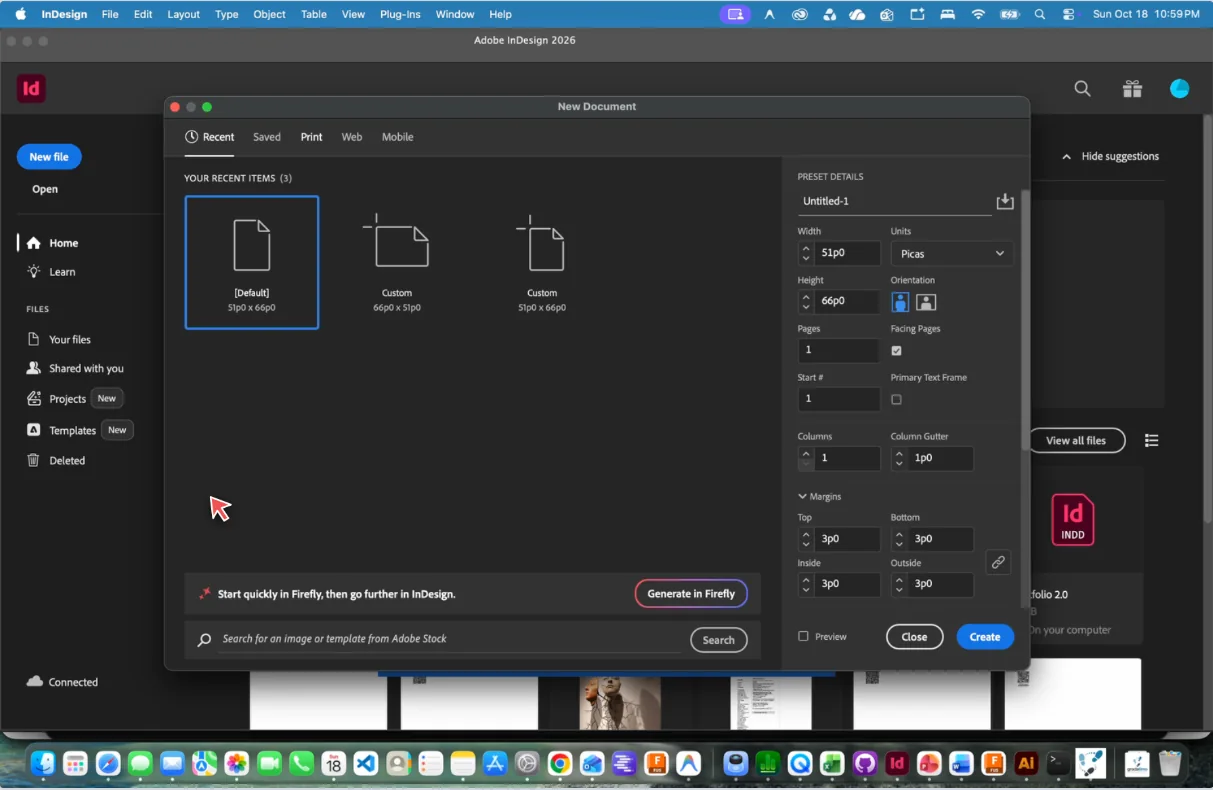
See how a clear lesson feels.
Move between instructions, watch the marker identify the next control, and experience the basic idea of a Gradatimo-made guide.
Open the exampleDon't rebuild it.
Republish it.
Choose a format to fit the situation. Keep editing the same original project as your lessons evolve.
PDF guides
Structured documents with screenshots, instructions, and navigable lessons.
Documented exportHTML & websites
Independent instructional pages with lesson navigation and supporting files.
Documented exportAnimated lessons
Timed screenshots, animated pointers, and guided playback.
Planned capabilityVideo & narration
Bring tutorials to life with audio and MP4 video output.
Planned capabilityAvailability is version-dependent. Planned formats are shown as roadmap concepts, not promised features of the current build.
Make it yours.
Keep it yours.
Your lessons are your work. Gradatimo is designed around local projects, not compulsory logins, cloud subscriptions, or someone else’s hosting platform.
.gradatimo project documentsTeach anything.
To anyone.
Educators
Give students illustrated assignments, software demonstrations, and step-by-step references.
Artists & makers
Explain creative processes, document studio techniques, and share complex workflows.
Technical teams
Create repeatable setup instructions, troubleshooting procedures, and reference manuals.
Organizations
Develop onboarding material, internal guides, and useful process documentation.
Make it once.
Teach it clearly.
Capture, refine, and organize instructions in one place. Publish the guide that fits your audience.