 gradatimo
Your first Gradatimo tutorial
Create a tutorial around something you already know how to do. A software setting, a design task, or a studio procedure is a good starting point.
- Create a tutorial project and give it a descriptive title.
- Create a lesson within the tutorial.
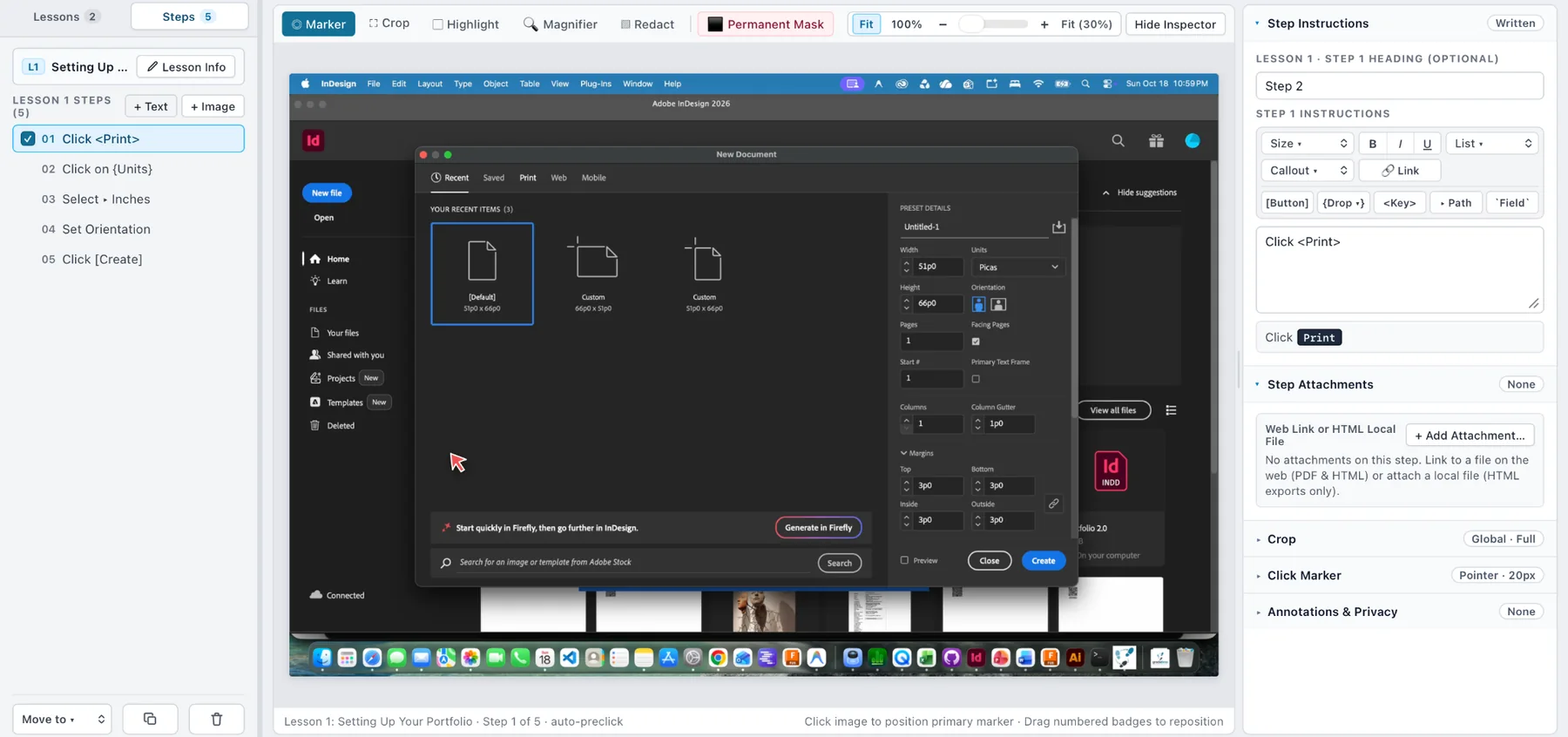
- Start a capture session, take a manual snapshot, or import a useful image.
- Select an instructional step and write what the reader should do.
- Add a marker or crop if the important control is difficult to find.
- Repeat, reorganize, and publish when you are satisfied.
Tutorials, lessons, steps
Gradatimo’s basic organization is tutorial → lesson → step. A tutorial can contain just one lesson; you do not have to create a large manual to benefit from the structure.
Saving your work
Keep your editable project as a .gradatimo file. Save published PDF and website output to a separate location. Retain a backup of important working material.
Tip: Begin with a short and useful five-step procedure. You can expand it into a multi-lesson guide later.