 gradatimo
The details make
the difference.
Everything in Gradatimo is built around one idea: make the next action obvious. Capture the context, add the explanation, and put it where readers need it.
A screenshot before the interface changes.
An instruction can be lost the instant a menu disappears. Gradatimo captures the context around an action, so readers can see the control that matters.
- Capture actions during a recording session
- Take manual snapshots whenever you need
- Import photographs and other existing images
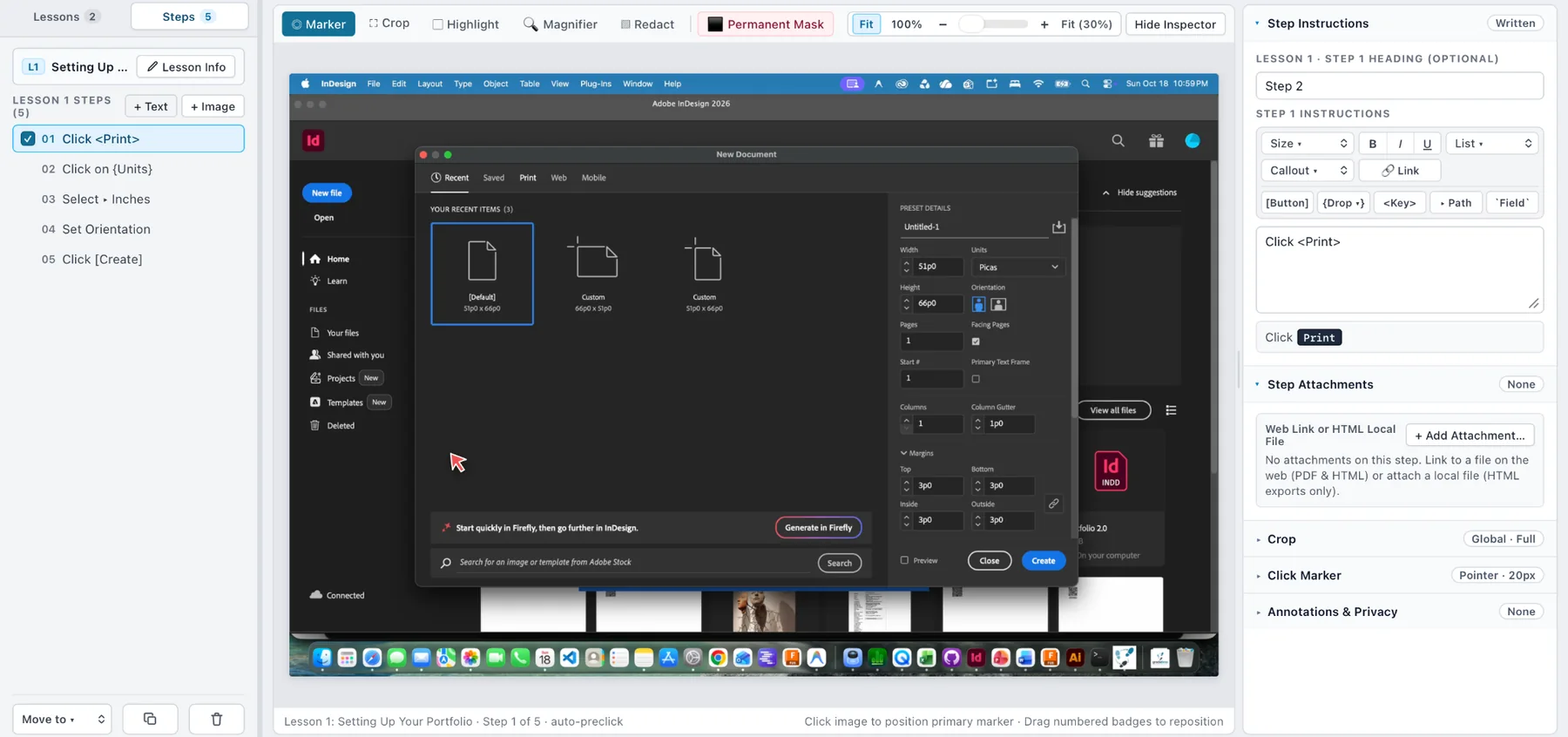
Precision without a separate image editor.
Make screenshots easier to understand with click indicators, custom crops, visual highlights, enlarged details, and permanent pixel masking.
- Place markers on the action target
- Enlarge small interface details
- Remove sensitive pixels before publishing
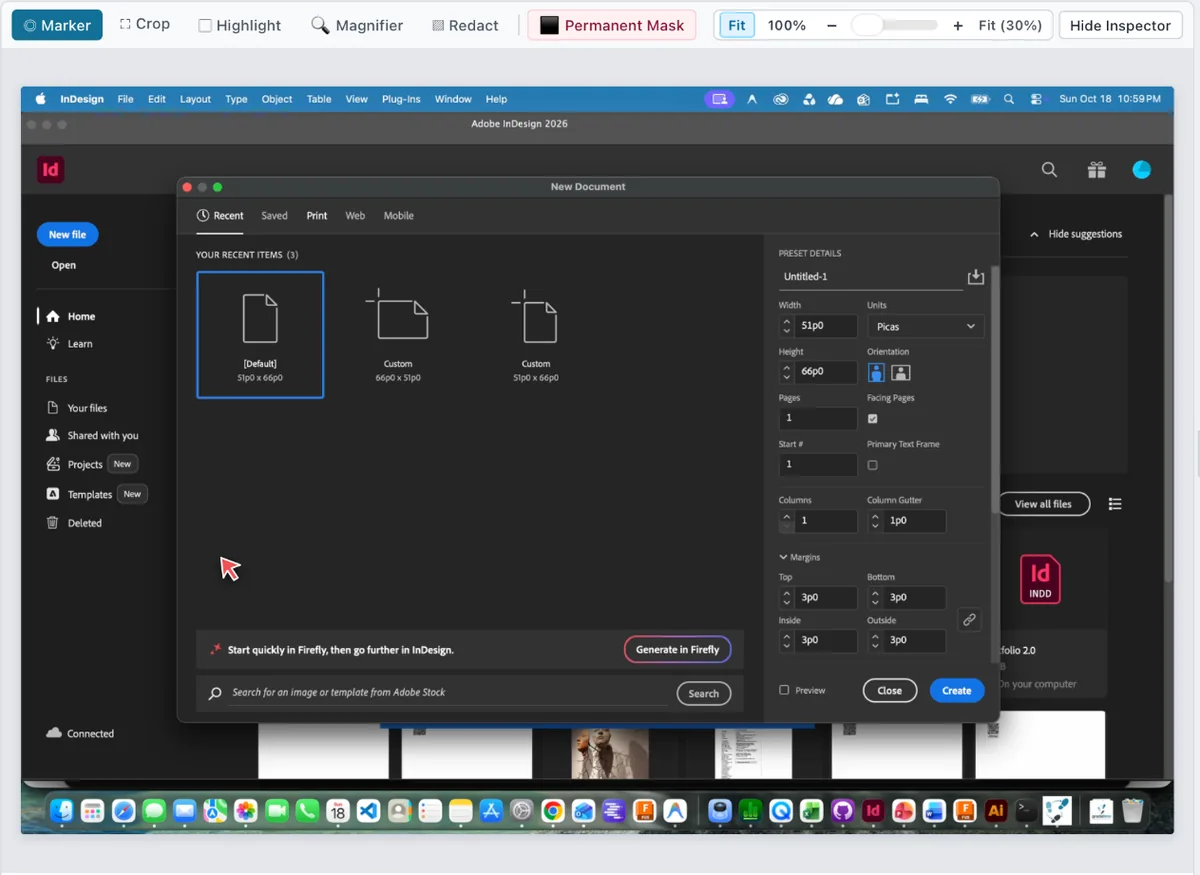
Good explanations have a structure.
Create a quick standalone lesson or develop a complete tutorial. Put text and images together, then move and reorder steps as needed.
- One step can contain images or text only
- Combine numbered actions when appropriate
- Group related steps into named lessons
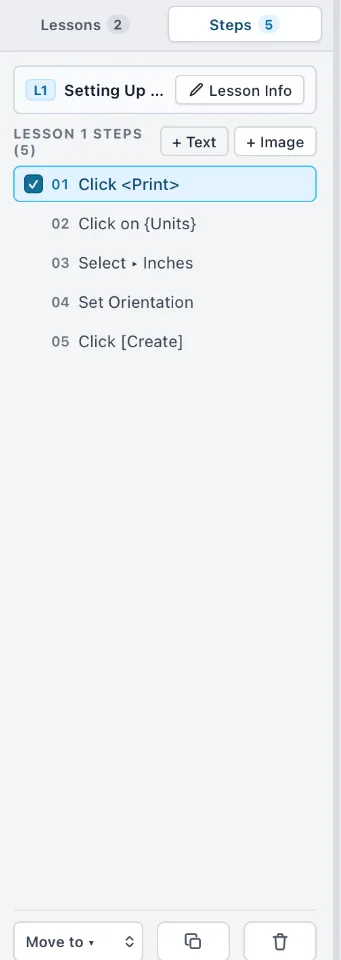
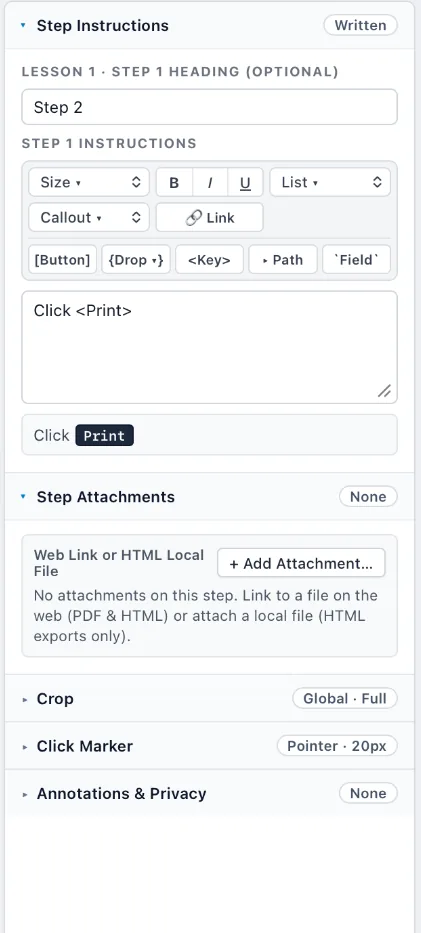
Writing is part of the workflow.
Add headings and formatted explanations while viewing the image. Put the why alongside the where, whether you need one sentence or a detailed walkthrough.
- Headings, descriptions and detailed instructions
- Additional materials and links
- An editable source project separate from exports
Your work is bigger than one format.
Gradatimo uses a portable .gradatimo project, separating editable source materials from export files. That keeps your lessons reusable as the guide develops.
Publication-style guides with headings, steps, and page numbers.
HTML / web
Standalone pages or browsable instructional websites.
Motion, later
Animated lessons, narration, and video are roadmap areas. Availability will be confirmed for each release.
Make it once.
Teach it clearly.
Capture, refine, and organize instructions in one place. Publish the guide that fits your audience.